Liyamour CMS | Run Your Entire Website From One Panel
ONE PANEL · 90 TEMPLATES · MULTILINGUAL PUBLISHING
ONE PANEL, THE WHOLE SITE
Never wait on anyone to update your website.
Liyamour CMS brings pages, menus, images, languages, SEO settings and contact messages together in a single panel. What you see in the editor is what goes live. No code to write, no files to transfer, no developer to book before you can publish.
PAGES AND MENUSMEDIA LIBRARYMULTILINGUAL PUBLISHINGSEO AND ANALYTICS
IN NUMBERS
A change goes live in minutes.
Open the page, edit it, check how it will look on the site and publish. No file transfers, no rebuild, no technical layer in between. If a change goes wrong, returning to a backup point is a single step.
OPEN PAGE→EDIT→PREVIEW→MATCH LANGUAGE→PUBLISH
INSIDE THE PANEL
The whole panel is this simple.
The screens below were taken from the live admin panel of this very website.
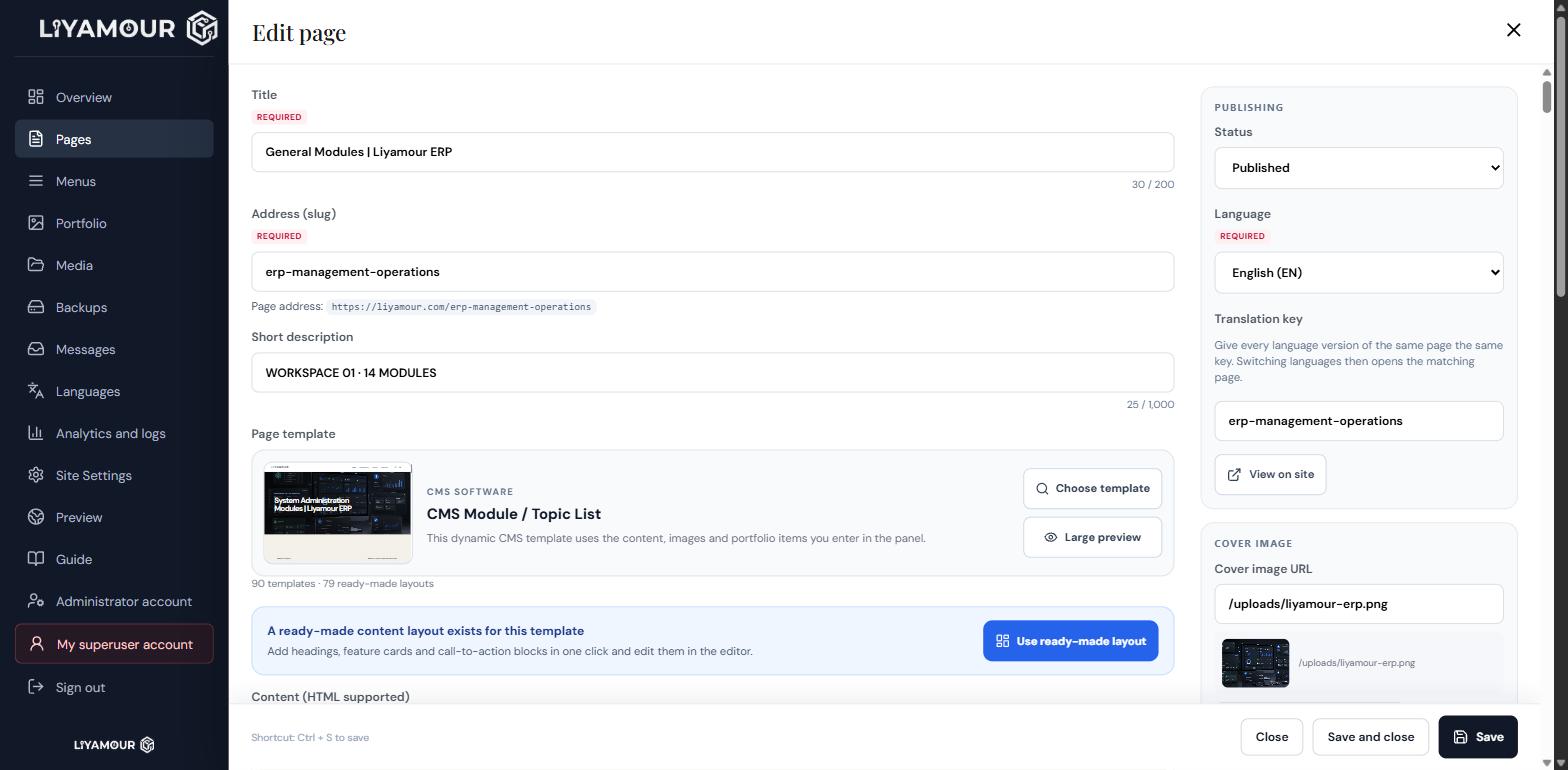
Title, address, template and publishing status on one screen.
Write in the rich text editor and switch to HTML whenever you need to. The right column holds status, language, translation key and cover image; SEO fields and a search result preview sit below. Ctrl + S saves.
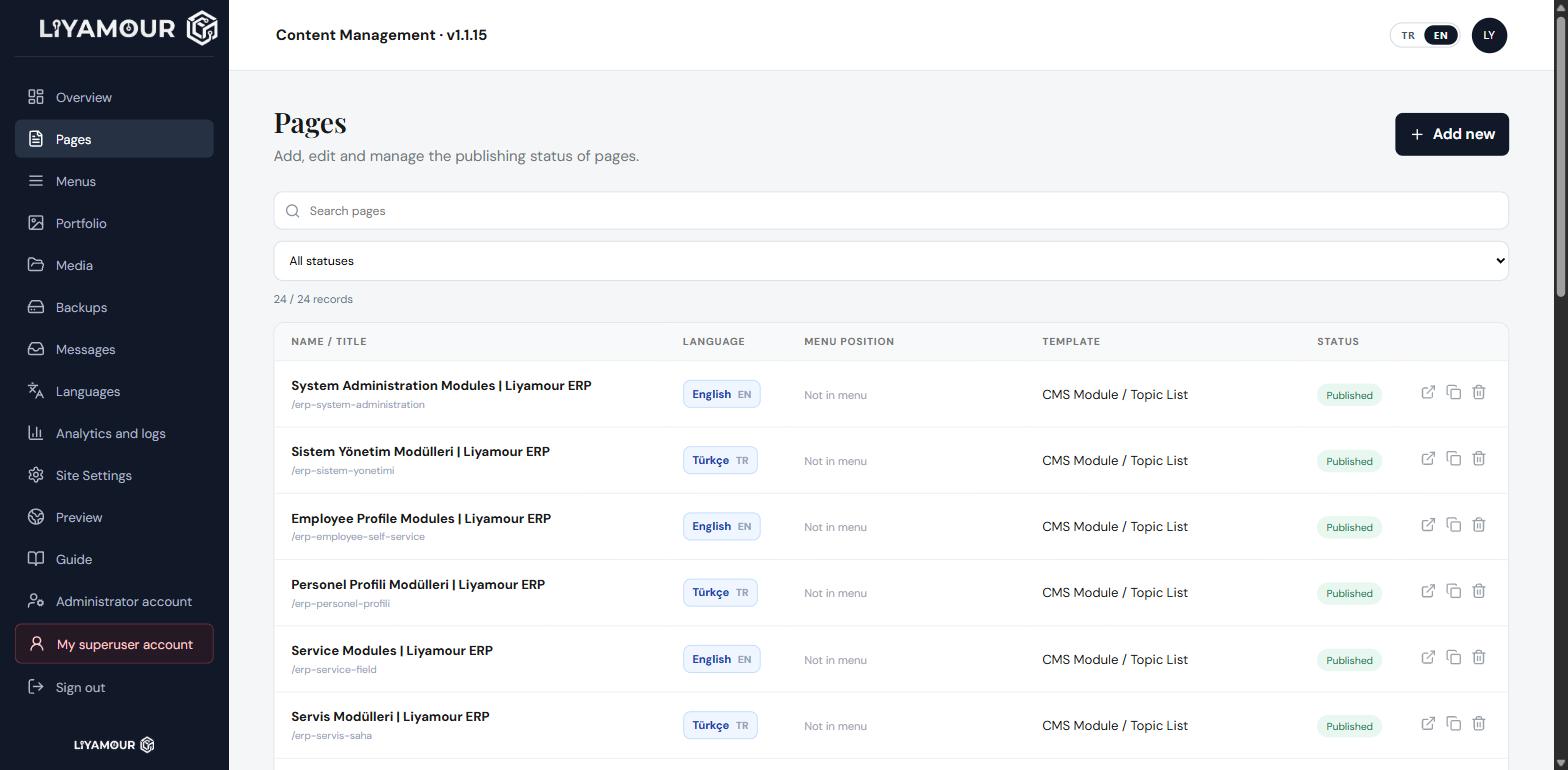
Which page, in which language, on which template, published?
Every page in one list with its language, menu position, template and status. Search it, filter by status, duplicate a page or open it live on the site.
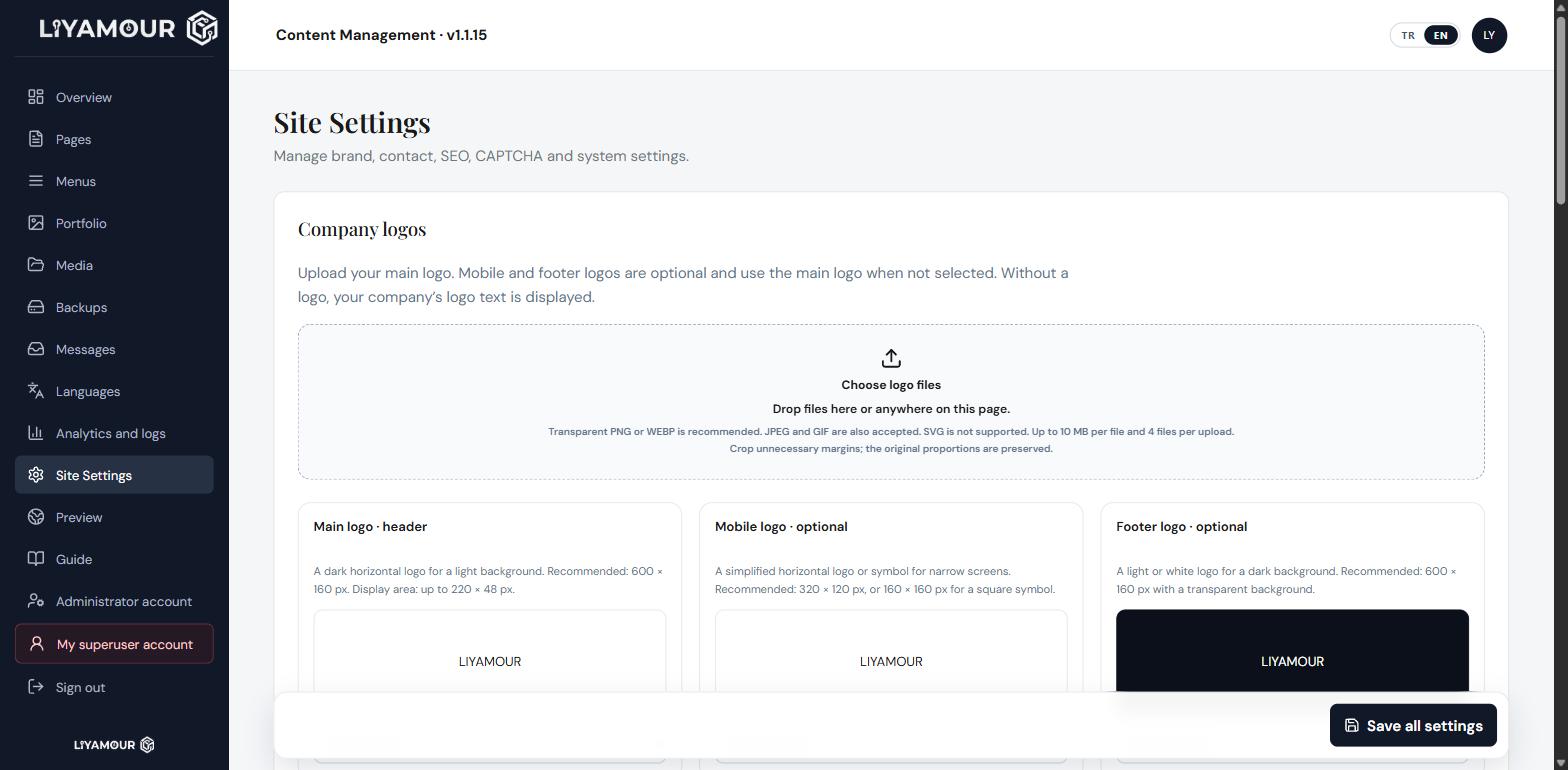
Logo, contact, SEO and CAPTCHA in one place.
Header, mobile and footer logos; contact details, social accounts, global SEO fields, CAPTCHA setup and maintenance mode are all managed from the same page.
WHAT YOU GET
Everything a content team needs, and nothing more.
Visual editor, HTML freedom
Write in the rich text editor and add tables, links, images and video. Switch to the source view whenever you want full control. Content is rendered with the site’s real design while you edit.
90 templates, 79 ready layouts
Pick the template that fits your page, then drop in a ready-made layout with one click. Headings, feature cards and call-to-action blocks arrive prepared; you only write your own copy.
Multilingual publishing
Keep a separate page per language and connect them with a translation key. When a visitor switches language they land on the matching version of the same content, not on the homepage.
Media library
Drag and drop files anywhere in the panel. Search what you have uploaded, copy any image address with one click and reuse it on any page.
SEO and search preview
Page title, meta description and keywords are managed per page. You see exactly how the page will appear in search results before you save it.
Backups and rollback
Content and images are backed up together, stored in a folder that belongs to this site alone. Five backup points are kept, so undoing a change that went wrong stays easy.
Visitor analytics and audit log
Choose a date range and review page views, unique visitors, returning visitors, countries and browsers. Every action taken inside the panel is recorded separately.
Secure by default
Signing in requires an email address, a password and a one-time code. The contact form only opens once the CAPTCHA setup has been tested and verified on this domain.
NEXT STEP
Run your website with your own team.
Let us move your current site onto Liyamour CMS, so changing a single headline never means booking someone else’s time again.
Let’s talk about Liyamour CMS →